Sunday, September 20, 2020

Steps to Making An Animated Short Film


Concept:

First it is good to have an idea and write it down. No matter what it is, it is good to try to get a solid idea and put it on paper. That way, when you get to the script/storyboarding it is already a full idea you can work with.

Script/Storyboarding:

Once, you have a thorough idea you can clean it into something you could actually turn into a film, by storyboarding and script writing. These steps are the most important because without a solid base you, can't have a good story. I personally, for animated films, don't really want to do a script because I will then have to get voice actors, but I love storyboarding.

Animatic:

Animatics are a solid way to get something close to the final project early on. I personally, don't think I need to do one with what I want to do, but it could definitely be helpful.

Model:

Finding or creating the best model for your image is important for your final vision. This part I find the hardest because I am not really interested in modeling but I need to find the right model for the story I want to do.

Animate:

This will take the most time and will be the most tedious, making sure you get movements right with the subjects you are animating. I really enjoy getting into the flow and animating for hours on end. I hope to really make a good looking animation this time around.

Render:

Depending on how much you animated the render could take a while, but all you've got to do at this time is wait. Maybe you can start on finding some music for you're film or look back at your concept and storyboard/script.

Editing:

Finally, you almost have a finished product, but it's not quite there yet. You need to color correct of you want to and do film grading and do sound design. This is my favorite part of the whole process because you are so close to finishing. Don't forget credits.

Upload/finish:

Add any finishing touches and watch through the film. Then, upload your finished product.

Work Log:
Monday- Reviewing camera rules
Tuesday- Not in class
Wednesday- Design principals
Thursday- Steps to an animated short film
Friday- Blogpost

Friday, May 29, 2020

End Of The Year Blogpost

Junior Year Portfolio

5/17

Ballerina Animation

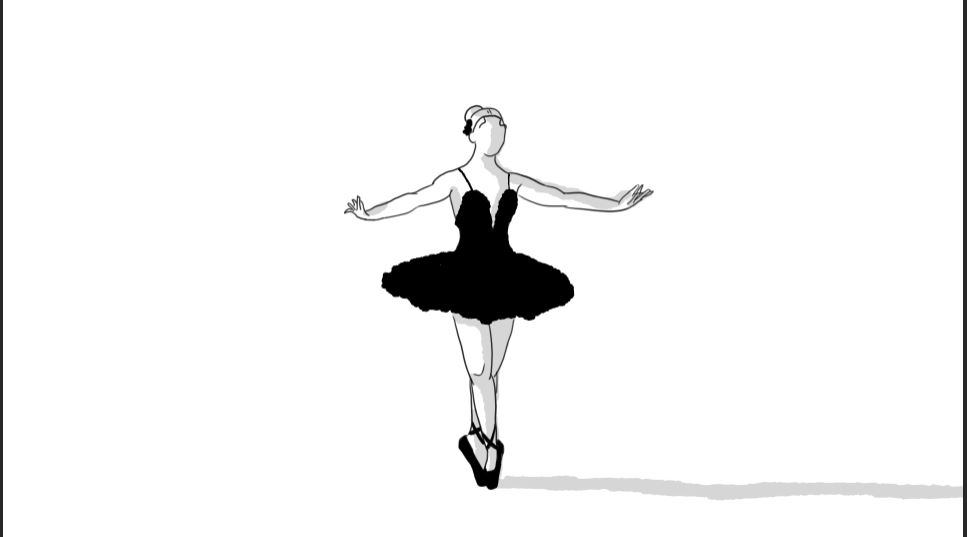
While watching videos to learn move about how a ballerina moves I came across this one. It helps put the movement into a more 2D space which it what I am doing in my animation. I also wanted to learn specific moves ballerinas use so I could incorporate in into my animation. Though investigation took longer than expected and the planning was a bit more tedious because I wanted to put together a whole routine. After that I got to work on my animation.


I am obviously not quite finished. I have many more movements and I wanted to play more with the 2D space and even try moving a camera angle or two. So far I think it is decent, but a little choppy. I struggled with finding how to pose the character after the previous movement. Another thing I would want to fix is consistency. The bun moves all over the place, my problem was onion skinning wasn't working part of the time so the bun and the shoes are a bit odd each frame. But, I do plan on working on it further.

4/26


There is something so graceful and interesting with how ballerinas move. As I wanted try get into 2D animation and I wanted to try animating humans, why not try something interesting like a form of dance. I chose classical ballet and I had to get an idea of how ballerinas move so I watched many videos online like this one. Then I went into my program and had to map out what I wanted the ballerina's movement to look like and the design of the character.


I wanted it to be simple, but then when just using black and white it got boring, so I decided to add shadows. The shadows add more a more dynamic and 3D look to the overall animation and the character. I went through many phases to come to the conclusion to made it simple. At first I drew a whole stage and had planned to use color and facial expressions, but the project became muddy and looked very poorly done. The black and white it much better, because you can focus more on the movement.

Sunday, May 3, 2020

5/3 investigation

Animating Cycles

Walking and running are much different when it come to animating. I think there are three parts to a character rig, the legs, the arms, and the body. Each part has a different motion to follow, yet they effect each other. The legs and body sort of move together and the arms move opposite the legs. To get a smooth animation the parts of the body need to move at the right timing and that is what I am struggling with. I can’t seem to get a smooth animation, it always ends up choppy.

I am not only doing walking and maybe some running in my animation, I am also doing climbing which I feel would be difficult. It is a lot different than a walk or run but also similar. The leg movements are still opposite one another and so are the arms, it’s just different because the model is sideways and making the body look like it is actually grabbing on to something is a challenge.
 

Sunday, April 19, 2020

2D animation In Photoshop Investigation

2D Animation In Photoshop


I have always wanted to get into 2D drawing and animation and can't seem to get the right program to use. Other programs the brushes and frame animation uses I find difficult to get the hang of, but in photoshop I find it much easier. This is just me messing around and trying something different. I found it very fun and plan to look more into 2D drawing and animation. I have actually been working on this sort of stuff for a while now and think maybe I could integrate some 2D and 3D elements into some sort of animation. I enjoy hybrid and I think that could really add more interest and depth to an animation.


I have also tried different styles for 2D drawing. I have tested these over quarantine and want to play around with different brushes and styles more. I still really haven't found a type of art style that speaks to me, as you can see I need to practice more and like I said before find my own style.


Highschool Portfolio